AI Chart Analysis Guide for TradingView Traders
ChartLense is a free Chrome extension that analyzes any TradingView chart in 5 seconds using AI. It automatically identifies chart patterns, support and resistance levels, trend direction, and key signals — no technical knowledge required. This guide covers everything from installation to writing custom AI prompts.
Quick links: Installation · Understanding Your Analysis · Custom AI Prompts · Trading Journal
Just Got Your First Analysis?
Start here to understand what your AI analysis means:
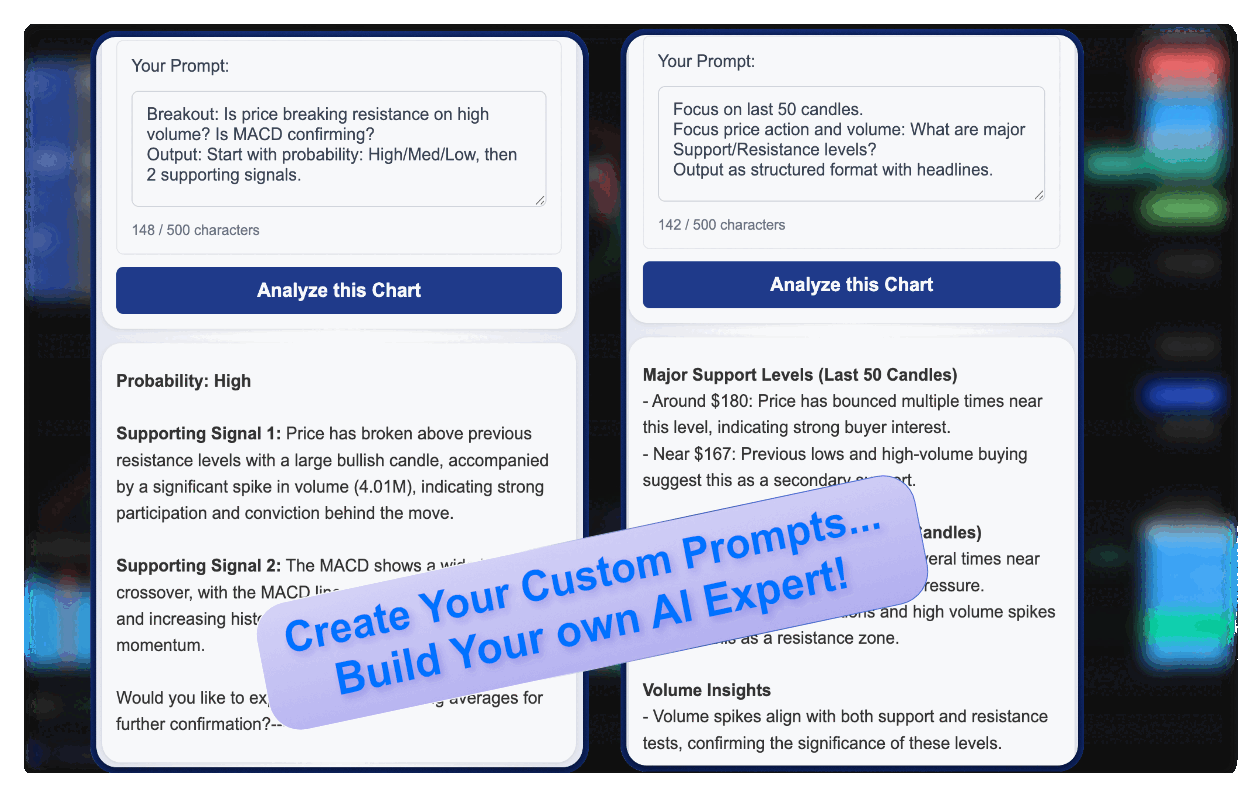
Write Custom AI Trading Prompts
Master prompt engineering to get exactly the analysis you need:
Trading Journal
Save your chart analyses and build a personal trading library with the built-in Trading Journal. Each saved entry captures your chart screenshot, AI analysis, and personal notes—perfect for tracking your trades and learning from past setups.
Getting Started
New to ChartLense? The Getting Started section will walk you through installation and account setup.
TradingView Users: Don't miss the ChartLense Dashboard - our Pine Script enhancement that supercharges your TradingView experience.
Key Features
- Trading Journal: Save analyses, track trades, and build your personal trading library.
- User Interface: A detailed look at the ChartLense sidebar, including the quota system and layout.
- Privacy Settings: Learn how to use our powerful blackout tool to protect sensitive information on your charts.
- Prompt Engineering Guide: Write custom AI prompts that focus on your specific indicators and strategies.
- Giving Feedback: Find out how to share your feedback and help us improve ChartLense.
Can't find what you're looking for? Use the search bar at the top to find specific topics.
Frequently Asked Questions
What is ChartLense?
ChartLense is a free AI-powered Chrome extension for TradingView traders. It analyzes chart screenshots in 5 seconds and returns a structured report covering pattern recognition, support/resistance levels, trend direction, and a 0–10 confidence score.
Is ChartLense free?
Yes. ChartLense has a free tier with daily chart analyses. Paid plans (Starter and Pro) offer higher quotas and additional features. See the pricing page for details.
Which platforms does ChartLense support?
ChartLense works on any chart you can see in Chrome — TradingView is the primary platform, but it also works on Binance, eToro, MetaTrader web, and most broker platforms that display charts in the browser.
How accurate is the AI chart analysis?
ChartLense continuously benchmarks the best AI vision models — including OpenAI, Google Gemini, and xAI Grok — and always uses the top performer for quality and speed. The confidence score (0–10) on each analysis tells you how clearly defined the pattern is. Scores above 7 indicate strong, well-defined setups. Always use the analysis as one input alongside your own judgment.
Can I write my own analysis prompts?
Yes. ChartLense supports custom AI prompts so you can focus the analysis on your specific indicators, timeframes, or strategies. See the Expert Prompt Guide to learn the FOCUS → QUESTION → OUTPUT formula.
Does ChartLense store my chart data?
Chart images are processed by the AI and not permanently stored, except screenshots you save to your journal. See the Privacy Settings page and Privacy Policy for full details.
Weekly Market Flow Report
Institutional positioning & smart money flow — free during beta.
- ✓Smart Money Flow — track what institutions are buying & selling
- ✓Conviction Scores — clear signals: Bullish, Bearish, Neutral
- ✓Positioning Scenarios — entry triggers & risk guidance for each asset
Gold · Silver · Copper · Bitcoin · Crude Oil · S&P 500 · Nasdaq